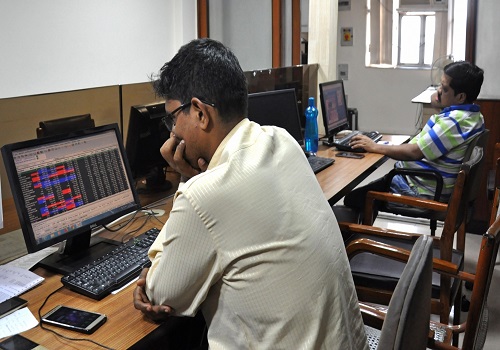

Eye Health Tips for Digital Screen Users in 2026

In today's digital world, smartphones, laptops, tablets and computers have become essential parts of everyday life. From working in offices and attending online classes to browsing social media and watching videos, people spend several hours looking at digital screens. However, prolonged screen use can lead to eye strain, dry eyes, blurred vision and headaches. Maintaining good eye health is therefore important for people of all ages.
Eye health tips for digital screen users in 2026 focus on simple daily habits, proper screen settings, regular breaks and a comfortable working environment. By following a few practical measures, users can reduce digital eye strain and maintain better visual comfort throughout the day.
Understanding Digital Eye Strain
Digital eye strain, also known as computer vision syndrome, refers to a group of eye and vision problems associated with prolonged use of digital devices. It can affect office workers, students, gamers and anyone who regularly uses smartphones or computers.
Common symptoms include:
Dryness and irritation in the eyes
Blurred vision after prolonged screen use
Headaches and eye fatigue
Difficulty focusing on distant objects
Watery or uncomfortable eyes
Increased sensitivity to light
These symptoms may become more noticeable after several hours of continuous screen use. Taking regular breaks and adjusting screen settings can help reduce discomfort.
1. Follow the 20-20-20 Rule
The 20-20-20 rule is a simple way to reduce eye strain during prolonged screen use. Every 20 minutes, look at something approximately 20 feet away for at least 20 seconds. This gives your eyes a short break from focusing on a nearby screen.
People who work on computers for long hours can use reminders or timers to make this habit part of their daily routine. Regular breaks may help reduce eye fatigue and improve visual comfort.
2. Adjust Your Screen Brightness
Screen brightness plays an important role in eye comfort. A screen that is too bright or too dim compared with the surrounding environment may cause discomfort.
Adjust your smartphone, laptop or computer brightness according to the lighting in your room. Avoid using extremely bright screens in dark environments, and reduce glare from nearby windows and overhead lights. Using automatic brightness settings can also help maintain comfortable screen visibility.
3. Maintain a Proper Viewing Distance
Maintaining an appropriate distance from digital screens can help reduce visual discomfort. Ideally, keep a computer screen approximately an arm's length away, with the top of the screen at or slightly below eye level.
For smartphones and tablets, avoid holding the device too close to your face. Increase the font size if you find yourself leaning forward to read small text. A comfortable viewing distance can help reduce unnecessary eye strain.
4. Blink More Frequently
People tend to blink less frequently when concentrating on digital screens. Reduced blinking can cause tears to evaporate more quickly, resulting in dry, irritated or tired eyes.
Make a conscious effort to blink regularly while working on a computer or using a smartphone. Complete, gentle blinking can help spread tears evenly across the surface of your eyes. If dryness continues, consult an eye-care professional about suitable treatments.
5. Reduce Screen Glare
Glare from windows, overhead lights and reflective surfaces can make digital screens difficult to view. Excessive glare may contribute to eye discomfort, especially during long working hours.
Position your computer away from direct sunlight and avoid placing bright lights directly behind or in front of the screen. Consider using an anti-glare screen protector if reflections remain a problem. Adjusting the position of your monitor can also improve viewing comfort.
6. Maintain Proper Lighting
Good lighting is essential for a comfortable digital working environment. Reading or working in very dim light can make screens uncomfortable to view, while excessively bright lighting may increase glare.
Use balanced room lighting when working on computers or reading from tablets. Position desk lamps so that they illuminate your workspace without reflecting directly onto your screen. Natural light can be useful, provided it does not create distracting reflections.
7. Take Regular Breaks From Screens
Spending several hours continuously in front of a screen can contribute to eye fatigue. In addition to following the 20-20-20 rule, take longer breaks during extended working sessions.
Stand up, walk around, stretch or look at distant objects during these breaks. Students and office workers can schedule short screen-free periods between tasks. Regular breaks can also help improve concentration and reduce physical discomfort associated with prolonged sitting.
8. Adjust Text Size and Screen Contrast
Small text can encourage users to move closer to their screens or squint while reading. Increasing font size and adjusting contrast can make digital content easier to read.
Choose text and background combinations that provide comfortable contrast. Use accessibility settings on smartphones, tablets and computers to increase text size where necessary. Avoid using excessively small fonts for long reading sessions.
9. Maintain a Healthy Diet for Eye Health
A balanced diet provides nutrients that support normal eye function. Leafy green vegetables, carrots, citrus fruits, nuts, seeds and fish can contribute to a healthy eating pattern.
Vitamin A, vitamin C, vitamin E, zinc and omega-3 fatty acids are among the nutrients associated with eye health. Include a variety of nutrient-rich foods in your daily meals rather than relying on individual foods or supplements as a solution for eye problems.
10. Get Enough Quality Sleep
Adequate sleep supports overall health, including eye comfort. Insufficient sleep may make the eyes feel tired, dry or irritated, particularly after long periods of screen use.
Maintain a consistent sleep schedule and create a comfortable sleeping environment. Reducing screen use before bedtime may also help improve sleep habits. Give your eyes sufficient rest after long working or studying sessions.
11. Use Night Mode When Comfortable
Many digital devices offer night mode, dark mode and adjustable colour temperature settings. These features can make screens more comfortable for some users, particularly in low-light environments.
Adjust the display according to your surroundings and personal comfort. However, blue-light filters and blue-light-blocking glasses have not been shown to reliably prevent digital eye strain. Taking breaks, blinking regularly and maintaining proper screen distance remain important.
12. Keep Your Eyes Clean and Comfortable
Maintaining good eye hygiene can help prevent unnecessary irritation. Avoid rubbing your eyes with unwashed hands, particularly when they feel tired or itchy.
If you wear contact lenses, follow the recommended cleaning and replacement instructions. Never sleep in contact lenses unless specifically advised by your eye-care professional. If you experience persistent dryness or irritation, seek professional advice instead of repeatedly using eye drops without guidance.
13. Schedule Regular Eye Examinations
Regular eye examinations are important for identifying vision problems and maintaining long-term eye health. People who spend long hours using digital devices may benefit from professional advice about their screen habits and vision needs.
An eye-care professional can check for refractive errors, assess eye discomfort and recommend appropriate corrective lenses if necessary. Seek prompt medical attention if you experience sudden vision loss, severe eye pain, flashes of light or a sudden increase in floaters.
14. Create an Eye-Friendly Workspace
A comfortable workspace can help reduce discomfort during long hours of computer use. Position your monitor at a suitable distance and height, use an adjustable chair and maintain good posture.
Keep frequently used items within easy reach to avoid awkward movements. Organise cables and equipment so that your workspace remains uncluttered. Proper ergonomics can improve overall comfort while working or studying.
15. Manage Children's Screen Time
Children increasingly use smartphones, tablets and computers for education and entertainment. Long periods of close-up screen activities may contribute to eye discomfort and can displace outdoor activities.
Encourage children to take regular breaks, maintain a comfortable viewing distance and spend time outdoors. Parents should also monitor screen habits and arrange age-appropriate eye examinations. Any persistent vision complaints should be discussed with an eye-care professional.
Benefits of Following Eye Health Tips
Following healthy digital screen habits can offer several benefits:
Reduced eye strain: Regular breaks and comfortable screen settings can help minimise eye fatigue.
Better visual comfort: Proper lighting and viewing distances can make screen use more comfortable.
Less dryness: Frequent blinking and appropriate eye care may reduce dry-eye symptoms.
Improved productivity: A comfortable working environment can make long study and work sessions easier.
Healthier digital habits: Screen breaks and balanced routines support overall well-being.
Early detection: Regular eye examinations can help identify vision problems before they become more troublesome.
Conclusion
Eye health is an important part of maintaining a healthy digital lifestyle in 2026. As smartphones, laptops and computers continue to play a major role in everyday activities, adopting healthy screen habits has become increasingly relevant. Following the 20-20-20 rule, adjusting screen brightness, maintaining a suitable viewing distance, blinking frequently and taking regular breaks can help reduce digital eye strain.
A balanced diet, adequate sleep, a comfortable workspace and regular eye examinations also contribute to maintaining eye health. Although these habits can improve comfort, they cannot prevent every eye condition. Anyone experiencing persistent discomfort or changes in vision should consult an eye-care professional. Small, consistent changes in daily screen habits can make digital activities more comfortable and support long-term eye health.