
How a Mouse Pad's Surface Can Change Tracking
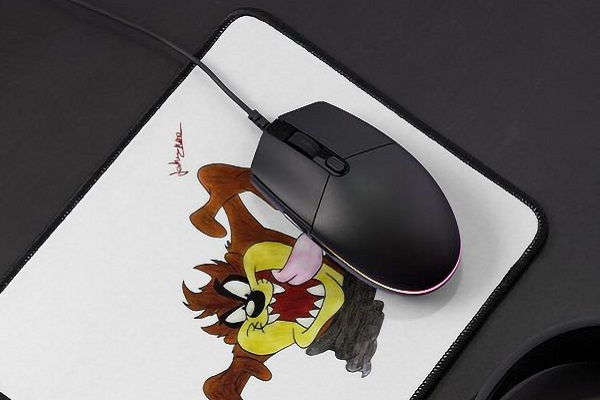
A mouse pad may look like a simple computer accessory, but its surface can make a noticeable difference in how a mouse moves across a desk. Whether someone uses a computer for office work, gaming, photo editing or everyday browsing, the texture and material beneath the mouse can influence cursor movement, control and comfort.
Choosing the right mouse pad is not only about appearance. Understanding how different surfaces affect tracking can help users create a more comfortable and reliable computer setup.
How Mouse Tracking Works
A computer mouse typically uses an optical or laser-based sensor to detect changes beneath it and translate those movements into cursor movement on the screen. The sensor captures information from the surface and uses it to estimate the direction and distance the mouse travels.
A suitable mouse pad provides a consistent surface for this process. When the surface is uneven, reflective or unsuitable for the sensor, tracking may become less reliable. The results can vary depending on the mouse sensor and the material of the pad.
Smooth Surfaces for Faster Movement
Smooth mouse pads generally allow the mouse feet to glide with less resistance. This can make moving the cursor across the screen feel quick and effortless, especially when working with large monitors or moving between different areas of a desktop.
These surfaces may suit users who prefer lighter mouse movement for everyday office tasks or fast-paced gaming. However, very low resistance can also make precise stopping feel more difficult for some users.
The ideal balance depends on personal preference, mouse sensitivity and the type of work being performed.
Textured Surfaces for Better Control
Some mouse pads have a slightly rough or woven surface that creates more resistance as the mouse moves. This added friction can provide a more controlled feel, helping users make smaller adjustments without the mouse gliding too easily.
Textured pads may appeal to people who perform detailed tasks, such as selecting small objects in design software or making precise cursor movements in spreadsheets. Gaming preferences also vary: some players prefer greater stopping control, while others prioritise speed.
A textured surface does not automatically make tracking more accurate. The overall experience depends on the combination of the pad, mouse sensor and user.
Why Mouse Pad Material Matters
Mouse pads are commonly made from cloth, hard plastic, rubber-based materials or combinations of these. Each material offers a different balance of glide, comfort and maintenance.
Cloth mouse pads often provide a softer surface and can be comfortable during long computer sessions. Their texture varies by design, with some offering a smoother finish and others creating more friction.
Hard-surface mouse pads typically allow fast movement and are relatively easy to wipe clean. However, they may feel less soft under the wrist, and their performance depends on the quality and finish of the material.
Rubber or foam backing helps keep many mouse pads stable on the desk. A pad that shifts during movement can interrupt consistent control, particularly when the user makes quick or repeated movements.
The Importance of Surface Cleanliness
Dust, hair, food crumbs and oils can build up on a mouse pad over time. These particles may affect how smoothly the mouse glides and can interfere with consistent sensor performance in some situations.
Regular cleaning helps maintain the surface and makes everyday use more comfortable. Follow the manufacturer's cleaning instructions, especially for cloth pads that may need gentle washing and complete drying.
It is also useful to clean the mouse's sensor area and mouse feet when needed. Problems with cursor movement are not always caused by the pad itself.
Choosing a Mouse Pad for Different Tasks
For everyday office work, a medium-sized cloth pad with a consistent surface can be a practical choice. It offers room for normal cursor movement without taking up too much desk space.
For gaming, users should consider the amount of glide, stopping control and available movement area. A larger pad can be especially useful for people who use lower mouse sensitivity and move the mouse over a wider area.
For design work and other precision-focused tasks, a stable surface that feels predictable may be more important than maximum speed. Users should also consider desk space, mouse size and the way they hold and move the mouse.
Conclusion
A mouse pad's surface can change how smoothly a mouse glides, how much resistance it creates and how consistent tracking feels. Smooth materials often favour quick movement, while more textured surfaces can provide a greater sense of control.
There is no single surface that suits everyone. By considering the mouse sensor, preferred movement style, work requirements and comfort, users can choose a mouse pad that makes their computer experience more consistent and enjoyable.