
How Bluetooth Technology Works
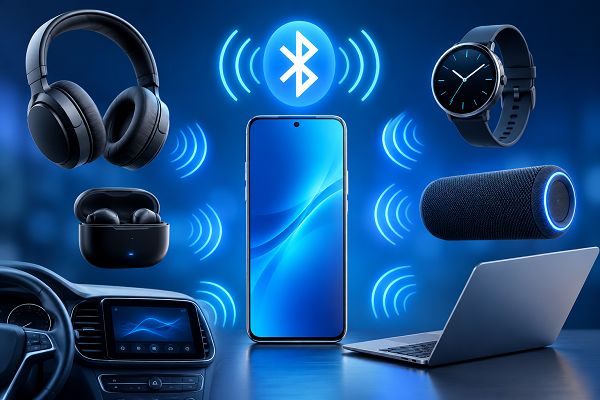
Bluetooth has become one of the most common wireless technologies in everyday life. We use it to connect smartphones with earbuds, smartwatches with phones, laptops with keyboards and cars with mobile devices.
But how does Bluetooth actually transfer information without using cables?
The answer lies in **short-range radio communication**.
What Is Bluetooth?
Bluetooth is a wireless communication technology designed to allow electronic devices to exchange data over relatively short distances.
Unlike Wi-Fi, which is generally designed to provide network and internet connectivity, Bluetooth is mainly used to create a direct wireless connection between nearby devices.
For example:
* Phone → Wireless earbuds
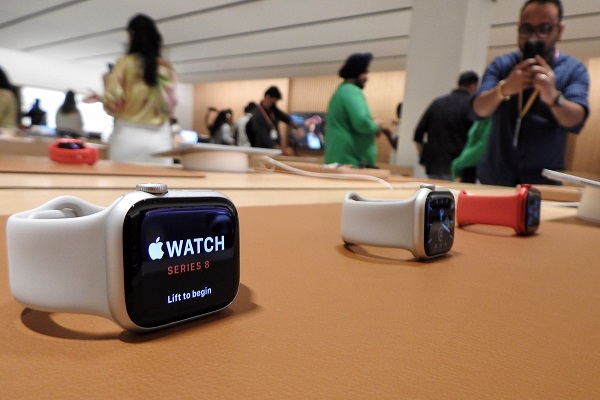
* Phone → Smartwatch
* Laptop → Wireless mouse
* Phone → Car infotainment system
* Laptop → Bluetooth keyboard
* Phone → Bluetooth speaker
Bluetooth operates primarily in the **2.4 GHz ISM (Industrial, Scientific and Medical) radio band**, which is also used by technologies such as Wi-Fi.
How Does Bluetooth Work?
The basic process is actually quite simple.
Imagine you connect your wireless earbuds to your smartphone.
First, the phone and earbuds use Bluetooth radio signals to discover each other. After the devices establish a connection, they communicate by sending data through radio waves.
The process can be simplified into four stages:
**Discovery → Pairing → Connection → Data Transfer**
1. Device Discovery
When Bluetooth is enabled, a device can search for nearby Bluetooth devices.
Your phone may detect:
**"Wireless Earbuds"**
The earbuds are essentially announcing that they are available to connect.
2. Pairing
Once you select the device, the two devices establish a relationship called **pairing**.
Depending on the Bluetooth device, you may need to confirm a code, press a button or simply approve the connection.
Modern Bluetooth devices can often remember previously paired devices, making future connections much easier.
3. Connection
After pairing, the devices establish a Bluetooth connection.
The phone now knows where to send the data and the earbuds know which data is intended for them.
4. Data Transfer
The phone converts information such as music into digital data and transmits it using Bluetooth radio signals.
The earbuds receive those signals, process the data and convert it back into audio.
You hear the music almost instantly.
How Does Bluetooth Send Data Through the Air?
Bluetooth doesn't send information as visible light or through the internet.
It uses **radio waves**.
A Bluetooth chip inside your smartphone converts digital information into a radio signal.
The Bluetooth chip in your earbuds receives that signal and converts it back into digital information.
The earbuds then process the information and produce sound.
So the basic chain looks like this:
**Phone data → Bluetooth chip → Radio signal → Earbud Bluetooth chip → Audio**
Why Doesn't Bluetooth Get Easily Interfered With?
Bluetooth operates around the 2.4 GHz frequency range, which can become crowded because many devices use it.
To reduce interference, Bluetooth uses a technique called **frequency hopping**.
Instead of staying on one frequency all the time, Bluetooth can rapidly switch between different frequency channels.
Think of it like two people having a conversation while quickly moving between different rooms to avoid other conversations.
This helps Bluetooth maintain a reliable connection even when other wireless devices are nearby.
What Is Bluetooth Pairing?
Pairing is the process through which two Bluetooth devices establish trust and exchange the information required to communicate.
For example, when you connect your phone to your car for the first time, the two devices perform the pairing process.
Once paired, the devices can usually reconnect automatically when they are nearby.
This is why your phone can often connect to your wireless earbuds without requiring you to repeat the entire setup every time.
Bluetooth Profiles
Bluetooth isn't just one single type of communication.
Different devices use different **Bluetooth profiles**, which define how Bluetooth should be used for a particular purpose.
For example, audio devices use profiles designed for transmitting audio, while keyboards and mice use profiles designed for input devices.
This allows Bluetooth technology to support many different types of gadgets.
Bluetooth Classic vs Bluetooth Low Energy
There are two major Bluetooth technologies you'll commonly hear about.
Bluetooth Classic
Bluetooth Classic is commonly used for:
* Wireless speakers
* Headphones
* Car audio
* Computer peripherals
It is designed for continuous data communication and audio applications.
Bluetooth Low Energy (BLE)
Bluetooth Low Energy is designed to consume significantly less power.
It is commonly used in:
* Smartwatches
* Fitness trackers
* Smart sensors
* Smart home devices
* Medical and monitoring devices
* Bluetooth tags
BLE is particularly useful for devices that need to operate for months or even years on small batteries.
Why Does Bluetooth Use So Little Power?
Bluetooth was designed with short-range communication and relatively low power consumption in mind.
Instead of continuously transmitting large amounts of information, many Bluetooth devices send relatively small amounts of data and spend much of their time in low-power states.
This is especially important for small gadgets such as fitness trackers and wireless sensors.
How Far Can Bluetooth Work?
Bluetooth range depends on the device, antenna, power level and environment.
Walls, furniture and other electronic devices can reduce effective range.
Different Bluetooth power classes and newer implementations can provide substantially different ranges, so there isn't one universal distance that applies to every Bluetooth device.
For everyday gadgets such as earbuds and phones, Bluetooth is primarily intended for nearby connections.
A smartphone can use both technologies at the same time.
For example, your phone might use **Wi-Fi for internet access** while simultaneously using **Bluetooth to send music to your earbuds**.
Why Bluetooth Doesn't Need the Internet
One common misconception is that Bluetooth requires an internet connection.
It doesn't.
If you connect your phone to wireless earbuds using Bluetooth, the audio connection can work without Wi-Fi or mobile data.
The devices communicate directly with each other.
That's why Bluetooth can also be useful in places where there is no internet connection.
Is Bluetooth Secure?
Bluetooth includes security mechanisms designed to prevent unauthorised devices from easily accessing Bluetooth communications.
Pairing, authentication and encryption can help protect communications.
However, users should still avoid accepting unexpected pairing requests and should keep device software updated.
Security also depends on how individual devices and applications implement Bluetooth.
The Future of Bluetooth
Bluetooth continues to evolve as wireless devices become smaller and more energy efficient.
Future developments are expected to support improvements in areas such as:
* Audio quality
* Power efficiency
* Device connectivity
* Location services
* Multi-device communication
* Smart home applications
* Hearing assistance
* Wireless accessories
Bluetooth is also becoming increasingly important in the **Internet of Things (IoT)**, where large numbers of small devices need to communicate wirelessly while consuming very little power.
Final Thoughts
Bluetooth may seem like a simple feature that lets you connect earbuds or a smartwatch, but there is a sophisticated wireless communication system working behind the scenes.
Your device discovers another device, establishes a secure relationship, creates a connection and then continuously exchanges data through radio signals.
In simple terms:
**Bluetooth = short-range wireless communication between electronic devices.**
From wireless earbuds and smartwatches to cars, computers and smart-home sensors, Bluetooth has become one of the fundamental technologies powering the modern connected world.