
How Fingerprint Sensors Read Your Finger
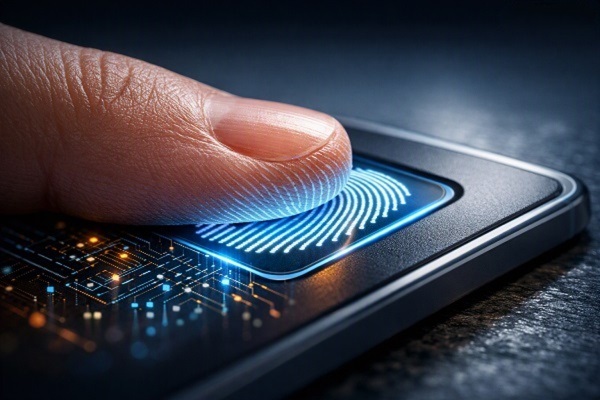
Fingerprint sensors have become a common feature on smartphones, laptops and other electronic devices. They allow users to unlock a device quickly by recognising the unique pattern of ridges and valleys on a fingertip.
Although the process feels almost instant, several steps happen between placing a finger on the sensor and gaining access to the device.
Your Fingerprint Has a Unique Pattern
The skin on your fingertips contains raised ridges separated by small valleys. These patterns form details known as fingerprint features, including points where ridges end, split or change direction.
Because these patterns are highly individual, devices can use them to distinguish one registered fingerprint from another.
The Sensor Captures Your Fingerprint
Different devices use different technologies to capture these patterns. The three common approaches are optical, capacitive and ultrasonic sensing.
An optical sensor uses light to create an image of the fingerprint. It essentially captures a visual representation of the ridges and valleys.
A capacitive sensor measures changes in electrical properties across the fingertip. Since ridges make different contact with the sensor than valleys, the system can create a pattern from those differences.
Ultrasonic sensors use high-frequency sound waves to detect the shape of the fingerprint. The returning signals can help create a detailed three-dimensional representation.
The Device Does Not Simply Store a Photo
When a fingerprint is registered, the device generally processes the captured information into a mathematical representation or template.
During later authentication attempts, the newly captured fingerprint is compared with the stored template. This approach is different from simply keeping an ordinary photograph of your fingertip.
The exact design and security implementation vary between devices and operating systems.
The Software Looks for Important Features
The system does not necessarily need to compare every tiny detail of a fingerprint. Instead, it identifies important characteristics within the pattern and uses them to create a useful representation.
When you touch the sensor, the device extracts corresponding features from the new scan and checks whether they match the registered template closely enough.
Why the Sensor Sometimes Fails
Fingerprint recognition is not perfect. Dirt, moisture, very dry skin or an incorrectly positioned finger can make the captured pattern harder to read.
A damaged or temporarily changed fingertip can also affect recognition. This is why devices usually allow users to register more than one fingerprint.
Why You Are Asked to Move Your Finger During Setup
During registration, your device may ask you to place your finger on the sensor several times and at different angles.
This helps the system capture more of the fingerprint's surface rather than relying on a single small section. A broader set of information can make everyday recognition more reliable.
Optical, Capacitive and Ultrasonic Sensors
Each technology has its own design.
Optical sensors rely on light and image capture. Capacitive sensors detect electrical differences created by contact between the finger and sensor surface. Ultrasonic systems use sound waves and their reflections.
The technology used can affect factors such as sensor placement, speed, resistance to certain conditions and the type of information the system can capture.
Security Happens Beyond the Sensor
A fingerprint sensor is only one part of a device's security system. The device also needs to protect the stored fingerprint template and control how authentication data is processed.
Modern devices commonly use secure hardware or protected system components for sensitive biometric information, although the exact implementation differs between manufacturers.
Fingerprints Are Not a Perfect Replacement for Passwords
Biometric authentication is convenient because you always have your fingerprint with you. However, fingerprints cannot be changed in the same way as a password if biometric information is compromised.
For this reason, devices typically retain a passcode, PIN or password as a backup authentication method.
A Tiny Touch Involves a Complex Process
When you place a finger on a fingerprint sensor, the device is doing much more than simply taking a picture. The sensor captures physical or electrical characteristics of your fingertip, software extracts meaningful fingerprint features and the system compares them with a protected registered template.
That combination of sensors, software and security hardware is what allows a simple touch to unlock a modern device in a fraction of a second.