
Portable SSDs: A Smarter Way to Store and Transfer Digital Files
As people increasingly rely on laptops, smartphones, cameras, and other digital devices, managing large amounts of data has become an everyday challenge. Photos, videos, work documents, and software files can quickly consume available storage space. Portable solid-state drives (SSDs) offer a convenient solution by providing external storage in a compact and easy-to-carry device.
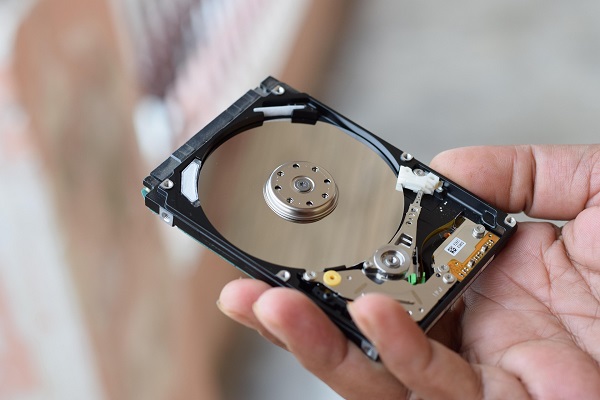
Unlike traditional external hard drives, portable SSDs use flash memory and have no moving mechanical parts. This design makes them particularly useful for people who frequently transfer files or work across multiple locations.
Enjoy Faster File Transfers
One of the biggest advantages of a portable SSD is its potential for fast data transfer. Compatible models can transfer large video files, image collections, and work folders significantly faster than many traditional hard drives.
Actual performance depends on the SSD, its connection interface, the cable, and the devices being used. Buyers should check these specifications before choosing a drive for professional workloads or frequent large file transfers.
Carry Important Files Anywhere
Portable SSDs are generally compact enough to fit into a backpack, laptop bag, or even a pocket. This makes them suitable for students, photographers, content creators, and professionals who need access to files while travelling or working outside the office.
Keeping essential documents and project files on an external drive can also make it easier to move work between compatible computers without repeatedly downloading large files from the internet.
Create an Additional Backup
An external SSD can be useful for maintaining another copy of important digital files. Backing up photographs, personal documents, and work projects helps reduce the risk of losing everything if a computer develops a problem.
However, storing the only copy of a file on one external drive is not a complete backup strategy. Important information should ideally exist in multiple locations, such as on a computer and a separate backup device or trusted cloud service.
Check Compatibility Before Buying
Not every portable SSD delivers the same performance. Some models use USB connections designed for everyday storage, while others support faster interfaces for demanding tasks such as high-resolution video editing.
Consumers should check connection compatibility, supported transfer speeds, storage capacity, warranty coverage, and operating-system requirements. A USB-C connector alone does not guarantee the fastest possible performance.
Protect Your Stored Data
Portable storage devices can be lost, damaged, or accessed by unauthorised people. Choosing a model with suitable hardware encryption or using reliable encryption software can help protect sensitive information.
Users should also eject drives safely where required, keep them away from excessive heat and moisture, and maintain separate backups of irreplaceable files.
Conclusion
Portable SSDs combine compact dimensions, convenient connectivity, and fast storage performance in a practical device. They can help users transfer large files, expand available storage, and organise digital backups more efficiently.
The right model depends on how much storage is needed, the speed supported by connected devices, and the level of data protection required. With sensible backup practices and the right specifications, a portable SSD can become a valuable addition to an everyday technology setup.