
Why Gaming Laptops Need Larger Cooling Systems
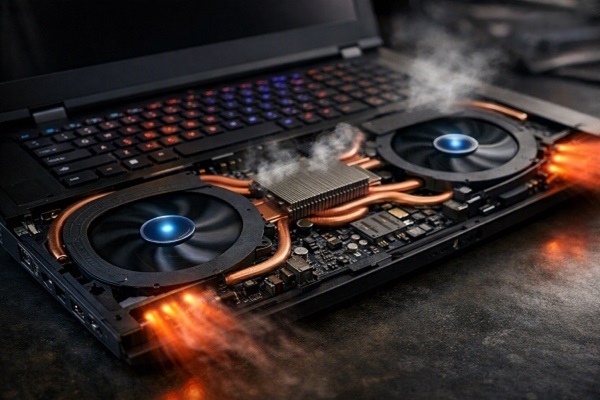
Gaming laptops are built to handle workloads that can push the processor and graphics chip much harder than typical office tasks. Running demanding games, rendering graphics, or performing other intensive operations generates significant heat, which is why gaming laptops usually require larger and more capable cooling systems.
A good cooling system helps the laptop maintain performance while also keeping internal components within safe operating temperatures.
Gaming Components Generate More Heat
The CPU and GPU are among the biggest sources of heat inside a laptop. During basic activities such as browsing or writing documents, their workload may remain relatively low.
Modern games are different. They can keep both the CPU and GPU busy for long periods, causing them to consume more power and produce more heat. The more demanding the workload, the greater the cooling requirement.
Thin Laptops Have Limited Space
Laptop manufacturers have to fit the processor, graphics hardware, battery, storage, memory, and other components into a compact chassis.
Gaming laptops generally dedicate more internal space to cooling because powerful hardware needs a practical way to move heat away from the components. Larger heat sinks, heat pipes, vapor chambers, and fans can all require additional room.
What Heat Pipes Do
Many gaming laptops use heat pipes to transfer heat away from the CPU and GPU.
Inside a heat pipe is a small amount of fluid. As the fluid absorbs heat, it changes state and moves toward a cooler section of the pipe, where the heat can then be released. The fluid returns to the hotter area and repeats the process.
This allows heat to be moved efficiently across the laptop without relying on the processor and graphics chip sitting directly beside the fan.
Larger Heat Sinks Help Spread Heat
A heat sink provides additional surface area for transferring heat into the surrounding airflow.
Gaming laptops may use larger heat sinks with dense fins. These fins increase the available surface area, allowing moving air to carry more heat away from the system.
Multiple Fans Increase Airflow
Gaming laptops commonly use multiple fans to move air through separate parts of the cooling system.
One fan may primarily serve the CPU area while another handles the GPU or nearby components, depending on the laptop's design. More airflow can help remove heat faster when the system is under sustained load.
Why Cooling Affects Performance
When a processor becomes too hot, it can reduce its operating speed to control temperatures. This is commonly referred to as thermal throttling.
For a gaming laptop, sustained heat can therefore affect performance. A system that initially delivers high clock speeds may reduce them after running a demanding game for an extended period.
Effective cooling helps the hardware maintain higher performance for longer periods.
Gaming Laptops Also Need to Cool Other Components
The CPU and GPU are not the only components producing heat.
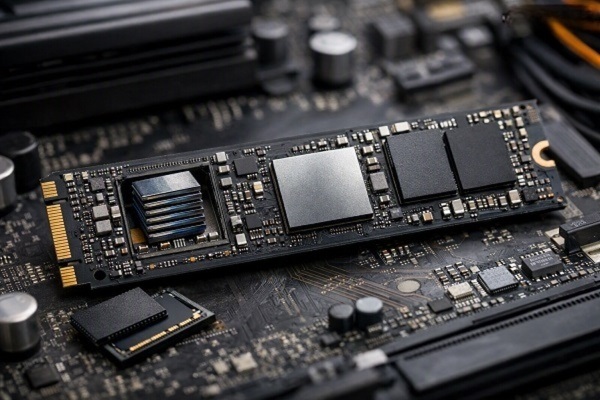
Voltage-regulation circuits, memory, storage devices, and other motherboard components can also warm up during heavy workloads. A well-designed cooling system considers the overall internal thermal environment rather than focusing on only one chip.
More Cooling Does Not Automatically Mean Zero Heat
Even a large cooling system cannot eliminate heat. Its purpose is to move heat away from components and release it into the surrounding environment.
The laptop may therefore still become warm, particularly around the keyboard, exhaust vents, or bottom panel. Surface temperature depends on where the manufacturer allows heat to accumulate and how airflow is designed.
Vent Placement Matters
Cooling performance also depends on where a laptop gets its fresh air and where it exhausts hot air.
Blocking intake vents with a soft surface, such as a bed or cushion, can restrict airflow. Keeping the laptop on a firm, flat surface generally gives the cooling system better access to air.
Why Gaming Laptops Can Get Loud
Moving more air often means spinning fans faster.
During gaming, users may notice significantly more fan noise than during normal office use. The increased noise is a direct result of the cooling system working harder to remove heat generated by the CPU and GPU.
Some laptops allow users to switch between quiet, balanced, and performance modes, which can change fan behavior and power limits.
Cooling Design Is About Balance
Laptop cooling is not simply a matter of adding the biggest possible fans. Manufacturers have to balance temperature, noise, chassis thickness, weight, battery capacity, and performance.
A gaming laptop designed for maximum sustained performance may prioritize cooling capacity, while a thinner model may make different compromises.
Final Thoughts
Gaming laptops need larger cooling systems because powerful processors and graphics chips can generate substantial heat during demanding workloads. Heat pipes, vapor chambers, heat sinks, fans, and carefully designed airflow work together to move that heat away from the hardware.
Good cooling is not just about keeping a laptop comfortable to touch. It also helps powerful components maintain stable performance during long gaming sessions and other intensive tasks.